Roomward + Eptura,
work orders in sync.
Roomward connects two-way with Eptura Asset (formerly ManagerPlus / Hippo CMMS). Pull Eptura work orders and your asset registry onto Roomward's live property view, and push status changes back automatically — so your maintenance team works from one place while your CMMS stays the system of record.
14 days free · no credit card required
Pull work orders
Eptura work orders flow into Roomward with status and priority mapped automatically — New, Assigned, In Progress, On Hold, and more.
Push updates back
When a tech changes a status in Roomward, it pushes back to Eptura, so both systems always agree without double entry.
Asset registry sync
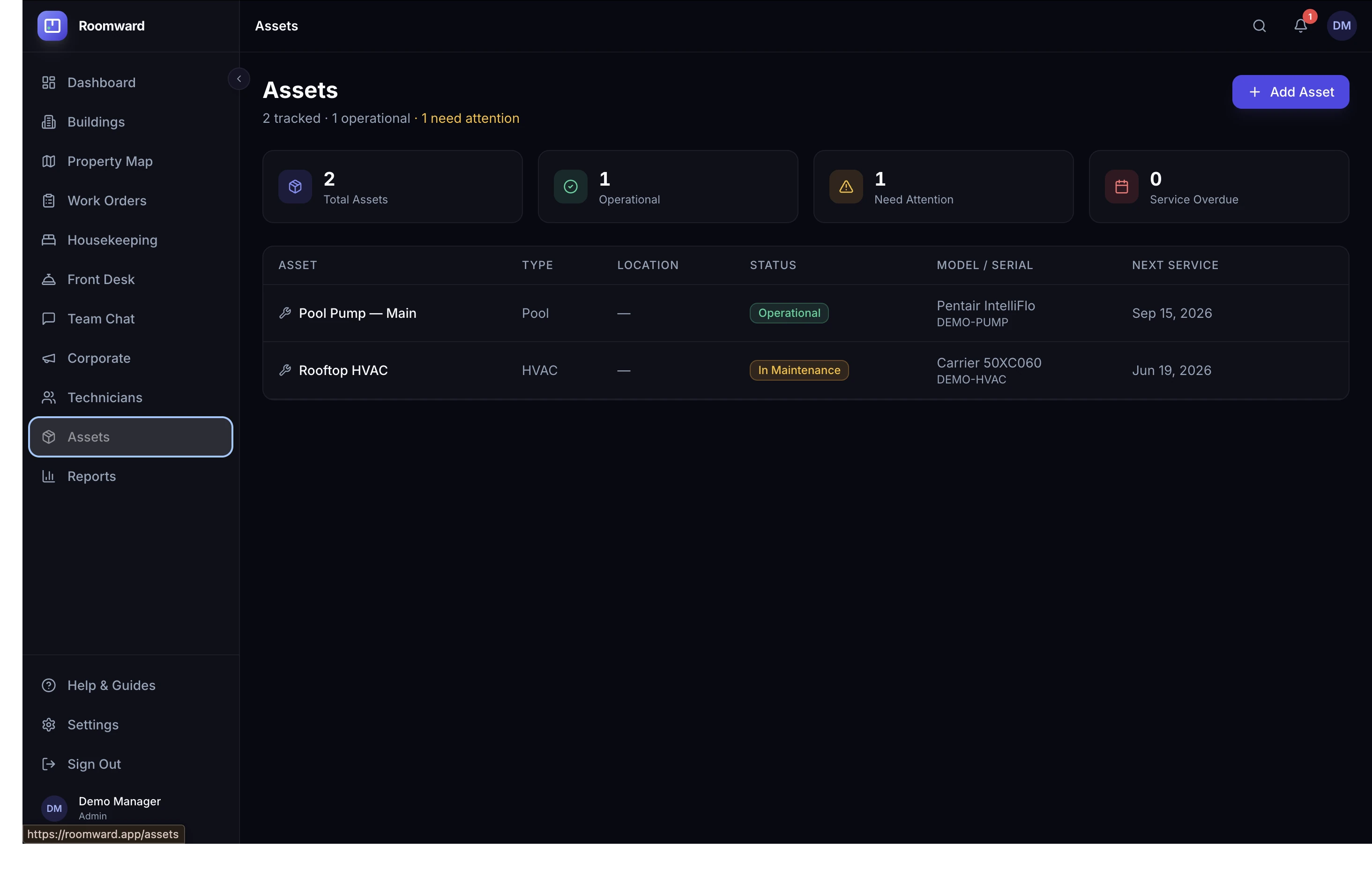
Pull your Eptura assets — HVAC, boilers, elevators, pumps — with category, condition, and next-PM dates, tied to real rooms.
Mapped to your rooms
Each synced work order and asset links to a specific room and floor, so technicians know exactly where to go.
Status & priority mapping
Eptura statuses and priorities map cleanly to Roomward's, including On Hold → waiting on parts and Urgent → critical.
Keep Eptura as your CMMS
Roomward adds a fast operations layer and live property map on top — it doesn't replace your CMMS system of record.
- Two-way work-order sync with Eptura Asset
- Asset registry import with PM dates
- Status and priority mapped automatically
- Work orders tied to real rooms and floors
- One operations view across maintenance
- Keep Eptura as your system of record
Frequently asked questions
How does the Eptura integration work?
Roomward syncs two-way with Eptura Asset. It pulls work orders and assets into Roomward — mapping Eptura's statuses and priorities to Roomward's — and pushes status changes back when work happens in Roomward, so both systems stay aligned.
Does it replace Eptura?
No. Eptura stays your CMMS system of record. Roomward adds a fast, mobile operations layer and a live property map on top, connecting maintenance with housekeeping and front desk.
Does it sync assets too?
Yes. Roomward pulls your Eptura asset registry — category, condition, and next preventive-maintenance date — and ties each asset to the room or area it lives in.
How are statuses mapped?
Eptura statuses map to Roomward's: New → open, Assigned → assigned, In Progress → in progress, On Hold/Waiting → waiting on parts, Completed/Closed → completed, Cancelled → cancelled. Priorities map similarly, with Urgent and Critical becoming critical.
How much does it cost?
The Eptura integration is included. Standard is $149/month per property for up to 25 team members; Pro is $249/month for unlimited team members. Every plan starts with a free 14-day trial, no credit card required.
Explore more
See it on your own property in minutes
Start a free trial, or click into a live demo with no signup.